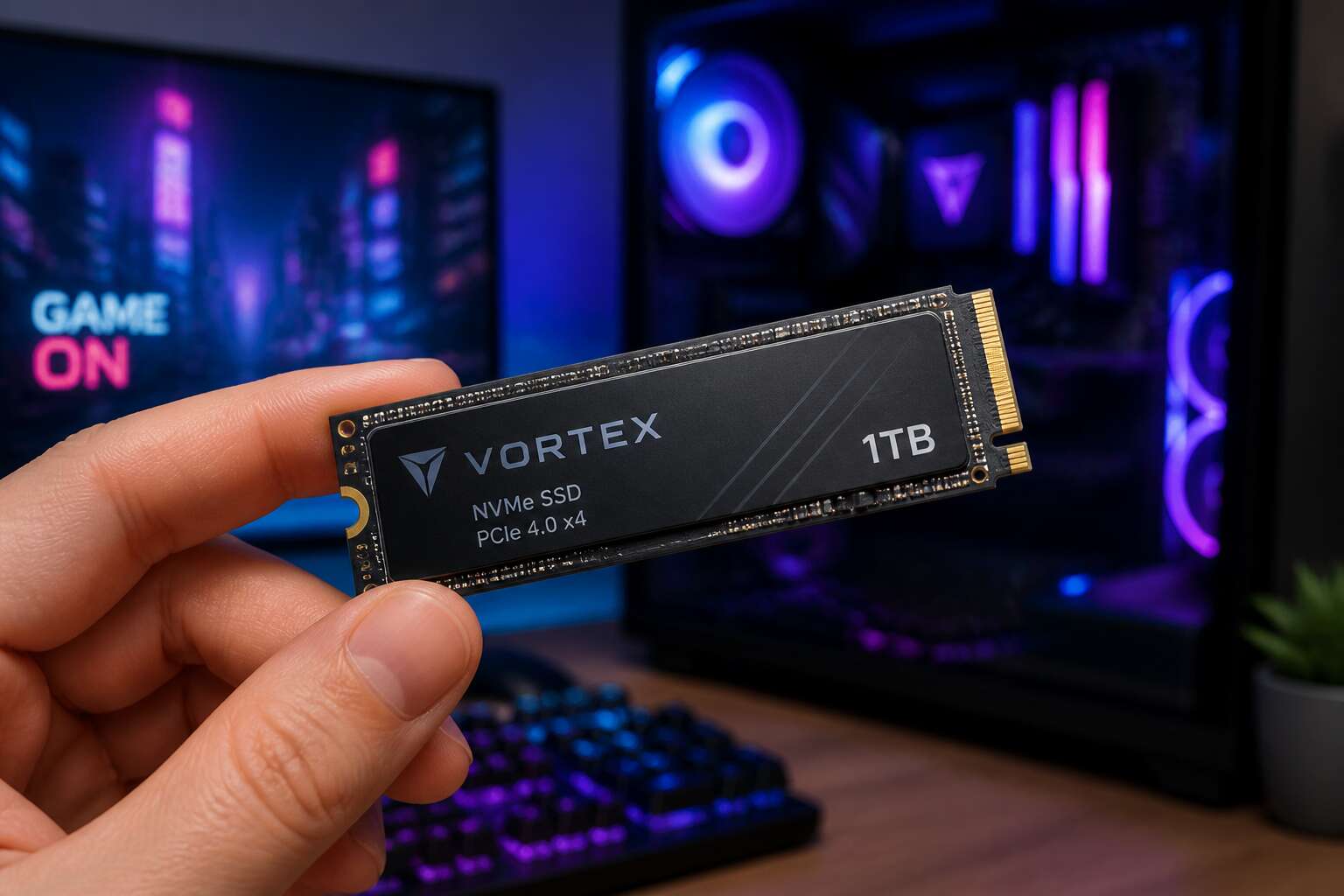
Evaluating Your Storage Needs
Assessing Current Bottlenecks
Storage bottlenecks often appear as processor or memory issues. When your system stutters during routine file operations, the real culprit frequently sits in the storage subsystem. I have seen machines with powerful CPUs slow dramatically simply because the drive could not keep pace with demand.
Signs of a storage bottleneck include:
– Boot times exceeding two minutes
– Application launches that hang for several seconds
– Large file transfers that take far longer than expected
– System responsiveness that degrades under multitasking loads
These symptoms point to a drive struggling with input/output operations per second. Upgrading to an nvme 1tb ssd removes this constraint. The interface bandwidth and low latency change how quickly data reaches the processor, which matters for workloads that constantly read and write. For many users, selecting an nvme 1tb ssd eliminates the most stubborn performance problem they have been facing.
Understanding Data Transfer Rates
Most advertised speeds tell only part of the story. A drive rated at 3,500 MB/s may deliver far less in real-world use. Understanding data transfer rates means distinguishing between sequential performance, which moves large files, and random performance, which handles the small, scattered reads that operating systems demand constantly. An nvme 1tb ssd handles both, but the balance matters more than the headline number. Consider what you actually store:
– Media libraries with 4K video benefit from sequential throughput
– Database files and system directories depend on random read/write speeds
– Game installations load faster with lower latency rather than raw bandwidth
Your workload determines which figure matters more. A designer exporting 4K footage needs sustained sequential write speeds. A developer running virtual machines needs high random I/O. Matching the drive’s strengths to your usage patterns, and choosing an nvme 1tb ssd accordingly, prevents paying for performance you will never touch.
Budget Considerations
One terabyte of flash storage sits at a critical pricing point. It holds more than an operating system, but less than your entire digital life. Before you commit to an nvme 1tb ssd, consider what your library truly demands. Video editors hoard footage; developers accumulate container images. Each gigabyte carries a price, and that price rises steeply beyond this capacity.
Evaluate your habits honestly:
- Duration of your active projects
- Size of your cloud-synced folders
- Number of installed games
These answers separate needless spending from sensible investment. Memory is both a physical component and a budget line. This storage tier offers a practical middle ground between sparse storage and prohibitive cost.
Breaking Down Performance Metrics
Sequential Read and Write Speeds
The sheer brevity of data transfer can define an entire workflow. A waiter never thinks about the seconds lost between the kitchen and the table, yet those seconds shape the entire experience. With an nvme 1tb ssd, those moments vanish entirely. Sequential read and write speeds are the headline numbers, but you must understand them as measures of continuous, linear data. They represent what happens when your drive handles a massive video file or unpacks a colossal archive.
For a creator in Cape Town working with 4K timelines, dragging a sequence onto a slower drive is like pushing a boulder uphill. A high-performing NVMe drive clears that path entirely. Random operations matter more for system responsiveness, but sequential speeds define the heavy lifting. Think about these common heavy workloads:
– Transferring a 20GB RAW photo library between drives.
– Loading a large simulation dataset for engineering software.
– Maintaining fluid timelines when scrubbing through ultra-high-definition footage.
Where sustained performance comes into play is under pressure. Many drives advertise peak speeds, but they drop after sustained write operations fill the cache. The best scenario involves a drive that can maintain its rated sequential speeds even after the cache is saturated. This consistency dictates whether a one-time render takes two minutes or five. While we have looked at budget and data transfer rates elsewhere, this metric of endurance is what separates a workhorse from a novelty. When you relink your storage, looking for the ongoing performance of an nvme 1tb ssd can future-proof your entire setup.
Random Access Latency
The waiting between moments defines a machine’s character. Random access latency measures how swiftly a drive locates scattered pieces of data. A spinning drive might take ten milliseconds. An nvme 1tb ssd drops that toward the hundred microseconds range. That gap matters because most operations are not linear streams.
Consider these everyday requests:
- Launching an application with hundreds of small configuration files.
- Searching across a database where records live in different sectors.
- Loading a game where assets sit in varied positions.
Every one of these depends on random access latency, not raw sequential throughput. I notice this most when switching between heavy applications. The controller and NAND architecture inside an nvme 1tb ssd cooperate to deliver near instant retrieval. This metric, more than any headline speed, defines daily satisfaction.
Endurance and TBW
Endurance lives inside a specification called TBW, terabytes written. An nvme 1tb ssd rated for 600 TBW accepts 600 terabytes of writes before its NAND cells begin to weaken. Video editors writing daily render files can approach such totals within years.
The controller matters as much as the memory itself. It balances write operations across the spare area so no single cell fails ahead of its neighbours. A quality nvme 1tb ssd performs this workload invisibly, with no slowdown appearing even as the drive ages.
- Video editors generate enormous render files every session.
- Database servers overwrite records continuously.
- Casual desktop users rarely reach even a fraction of the limit.
Buyers compare read and write benchmarks first, yet endurance determines how long a drive remains dependable. Two drives can share identical sequential speeds while carrying different TBW ratings. That difference explains the price gap between bargain models and reliable storage.
Cache and Controller Technology
Mount an nvme 1tb ssd and the controller handles every read and write decision. It assigns data to NAND pages, schedules garbage collection, and manages thermal throttling. A modest controller with aggressive SLC caching can post impressive sequential scores, then slow dramatically under sustained writes once the pseudo-cache empties. That is where a proper review separates marketing from reality.
- A four-channel controller with efficient wear leveling
- Host memory buffer support when the drive omits dedicated DRAM
Two specifications deserve scrutiny. The cache matters beyond its capacity. An nvme 1tb ssd that holds steady writes after entering the TLC region outperforms one that sinks to 400 MB/s. Reviewers who stop at sequential benchmarks miss this behavior. Real workloads, video renders and database logs, do exactly that.
Choosing the Right Form Factor
M.2 vs 2.5-Inch
The physical footprint of your drive matters as much as its raw performance. The choice between a gumstick style M.2 module and a traditional 2.5 inch caddy is a decision about airflow, cable management, and your motherboard’s real estate. An M.2 drive sits flush against the board, which is a cleaner installation for a compact workstation. A 2.5 inch unit requires power and data cabling, which can clutter a mini tower but offers a simpler thermal profile if you have a dedicated fan bracket.
Before you settle on a specific nvme 1tb ssd, consider the upgrade path. To guide your decision, consider these physical constraints:
1. Check if your motherboard has a spare M.2 slot with PCIe Gen4 support.
2. Verify the available clearance above the M.2 slot for a heatsink.
3. Determine if your case has a dedicated 2.5 inch mounting position near the PSU shroud.
The thermal dynamics are distinct. A 2.5 inch drive with a metal housing can passively dissipate heat into a wide open air zone. An M.2 drive, however, is often wedged between the GPU and the CPU cooler, trapping heat. This placement can cause throttling during sustained heavy reads. Your choice of form factor must factor in the specific interior geography of your PC case, as thermals will dictate sustained performance more than the peak speeds on the box. The physical layout of your system will either unlock or limit the potential of your nvme 1tb ssd.
PCIe Generations and Lanes
The PCIe generation on your motherboard defines the speed ceiling. A Gen3 x4 link moves around 3.5 GB/s. Gen4 x4 roughly doubles that. If you slot an nvme 1tb ssd into an older Gen3 port, you leave performance on the table. The drive still works, but sequential transfers drop to half speed.
Gen5 is rolling out on newer boards, yet the real-world gains over Gen4 are marginal for gaming and general workloads! Here is how to match your drive to your platform:
- Inspect the motherboard manual to confirm the M.2 slot supports PCIe Gen4.
- Check if the slot shares lanes with your GPU or SATA ports.
I prefer buying an nvme 1tb ssd with Gen4 support even if my current board only runs Gen3. The drive remains relevant for a future upgrade, and South African import prices make forward planning worthwhile. Lane count matters just as much. A x2 link halves the bandwidth, turning a fast drive into a mediocre one.
Thermal Design and Heat Sinks
Most nvme 1tb ssd drives run hot enough to fry an egg, and that is not a compliment. Thermal throttling is the real enemy. When the controller hits 80 degrees Celsius, it slows down to protect itself. A heatsink is not optional if you plan to write large files for extended periods.
Form factor matters here. The M.2 2280 size is standard, but the thickness of the NAND and controller varies. Some drives come with a preinstalled heatsink, which is great for desktop boards but a problem for laptops. Check your motherboard’s clearance before buying.
- Single-sided drives run cooler and fit more slots.
- Double-sided drives need more airflow.
- Heatsink height can block GPU clearance.
South African summer heat makes this worse. A bare nvme 1tb ssd in a poorly ventilated case will throttle within minutes. The difference between a drive with a thermal pad and one without becomes obvious in a matter of minutes.
Compatibility with Your Motherboard
Physical fit is the first hurdle. The M.2 standard defines length, but your motherboard’s slot is more particular. An nvme 1tb ssd uses the M key, yet some slots combine B and M keys. A B-key drive will not work in an M-key only slot. Length is another matter:
– 2242, common in mini PCs
– 2260, found in older laptops
– 2280, the desktop standard
– 22110, reserved for enterprise workstations
The 2280 length is the safest selection, but inspect the distance between the slot and the rear I/O shroud. Some boards tuck the M.2 socket under a metal shield, which introduces its own clearance quirks. The BIOS revision also carries weight. A board from 2019 may require a firmware update to recognise a newer drive’s capacity. That is not a speed matter; it is a handshake between the UEFI and the NAND controller. The board’s QVL lists the drives that the manufacturer has actually tested.
Integration and Installation Tips
Cloning Your Existing Drive
Cloning your existing drive spares you the ceremony of reinstalling Windows and hoping your licence key behaves. For a nvme 1tb ssd, the operation is mostly painless, but you must confirm your motherboard has a second M.2 slot that does not disable a SATA port. Most modern boards have two slots, though one may share bandwidth. Software like Samsung Magician or Clonezilla mirrors your old drive byte for byte. Verify your used space fits before starting.
- Install the nvme 1tb ssd into the spare slot.
- Select source and target drives in the cloning software.
- Power down, remove the old drive, and boot from the new one.
If your old drive disappears after installation, a shared SATA port is likely the culprit. Check your manual, and I promise it will name the exact port.
Optimizing for Gaming and Productivity
Once the drive is seated and the system boots, the real work begins. That nvme 1tb ssd controls every load screen and project compile. I have watched systems improve when users disable hibernation and set the power plan to High Performance, actions that stop the drive from idling unnecessarily. The difference is measurable!
Gaming benefits from hardware-accelerated GPU scheduling and library folders placed on the new drive. Productivity files, scratch disks, and render caches also belong there. The controller handles parallel requests efficiently, which matters when you split workloads across applications.
Firmware updates arrive within the first 48 hours of installation. A motherboard with a primary M.2 slot grants full lane access. Leaving 15% of the capacity unallocated preserves sustained performance. An overstuffed nvme 1tb ssd performs slower. Keep it lean.
Troubleshooting Common Issues
Installation rewards patience. The M.2 slot accepts the nvme 1tb ssd at a slight angle, and pushing too hard can damage the connector. I always check the standoff position before tightening the screw. A loose drive will vanish from BIOS.
Power cuts remain a reality here. A sudden drop can corrupt file tables. The most common failure I see is an invisible drive after a restart. The fix is often simple:
1. Shut down completely and unplug the power cord.
2. Press and hold the power button for ten seconds to drain residual charge.
3. Reseat the unit firmly.
After that, most systems recognise the drive. If the nvme 1tb ssd still goes missing, update the motherboard BIOS first. The controller needs a stable platform.
Future-Proofing and Value Assessment
Long-Term Reliability Insights
The typical lifespan of a solid state drive is often misrepresented by raw endurance numbers alone. When you invest in an nvme 1tb ssd, you are not just buying capacity; you are purchasing a timeline for your system’s relevance. The NAND flash inside these devices has a finite write life, but the controller often outlasts the usefulness of the motherboard it sits on. This distinction is crucial for South African users who may not upgrade their platforms as frequently as enthusiasts in other regions.
Considering the local import costs and exchange rates, the value of your storage solution is tied directly to its survival. A drive that fails after three years is a poor investment, regardless of the initial price. You need a unit that will comfortably traverse multiple Windows installations and game library purges without flinching. The psychological comfort of knowing your data is safe from the sudden death of a failing component outweighs the slight price premium over a slower HDD.
To gauge this longevity, look beyond the sticker shock and consider the following factors:
– The quality of the DRAM cache, which reduces write amplification.
– The presence of a thermal sensor that prevents throttling during summer heat.
– The warranty period, which often reflects the manufacturer’s confidence in the NAND.
An nvme 1tb ssd with a high TBW rating is a buffer against your own habits. If you are a creative professional exporting 4K video, you will chew through endurance quickly. Conversely, a standard user might never touch the limit. The real metric is whether the drive maintains consistent performance as it fills to capacity. A drive that slows down at 80 percent full is a bottleneck waiting to happen. The value emerges not in the peak benchmark, but in the sustained response during daily chaos. This is the quiet assurance that your digital life remains responsive, not just today, but for the years you plan to keep your current hardware alive.
Warranty and Support Considerations
Future proofing an nvme 1tb ssd demands a longer view than raw capacity. The value rests in how well the drive supports forthcoming operating systems and expanding file sizes. A controller with generous spare area absorbs the gradual write load without visible slowdown.
Warranty terms deserve equal scrutiny. South African buyers face return shipping costs and exchange rate shifts when dealing with international RMAs. A local distributor with a simple replacement process matters more than any benchmark result.
The assessment narrows to a few markers:
- The local warranty period and whether advance replacement is offered.
- The distributor’s track record for honouring claims without overseas dispatch.
I measure an nvme 1tb ssd by its cost per operational year. A modest premium for dependable support is a sensible trade for the lifespan you actually receive.
Cost per Gigabyte Analysis
The real expense of an nvme 1tb ssd materialises long after the purchase, in the quiet depreciation of its performance and the escalating cost of replacement. A drive that stumbles under tomorrow’s workload is a false economy, a bargain that exacts its price in lost productivity and frustrated upgrades. The true metric is not the price per gigabyte on the shelf, but the cost per operational year, a figure that demands we look past the immediate spec sheet.
This calculation begins with an honest appraisal of the drive’s architecture. A superior controller and a generous allocation of spare area are not abstract luxuries; they are the mechanisms that absorb write amplification and preserve the drive’s speed as it ages. This headroom is the difference between a drive that remains brisk for half a decade and one that becomes a bottleneck in two years. The cost per gigabyte analysis must therefore be weighted against this lifespan, turning a simple division problem into a projection of value.
Consider the components of that cost:
– The initial purchase price, including local VAT and any import duties.
– The expected lifespan based on TBW and the efficiency of the wear-levelling algorithm.
– The price of downtime, measured in lost work or interrupted gaming sessions.
For the South African buyer, this last point carries a heavy weight. A cheaper drive that fails outside its warranty window, or one that requires an international RMA with its associated shipping fees and exchange rate risk, is a liability. The prudent assessment, then, is a local one. A modest premium for a drive backed by a responsive local distributor is an insurance policy against the chaos of a global supply chain, ensuring your investment in an nvme 1tb ssd is measured in years of reliable service, not in the anxiety of a pending return.
Evolving NVMe Standards
Yesterday’s flagship is tomorrow’s bottleneck. The NVMe specification evolves faster than most hardware cycles, and a drive purchased today must survive two or three interface generations. The nvme 1tb ssd you install now could be running in a system three years from now, and its controller’s command set will determine whether it adapts or stalls.
Future-proofing demands attention to three evolving standards:
- NVMe 2.0 feature sets, including zone namespaces for advanced workload control.
- New form factor shapes beyond M.2, such as EDSFF.
- Power state transitions that reduce idle draw without sacrificing wake latency.
Value assessment shifts when you weigh these standards against the drive’s actual endurance. A drive that supports the latest spec but burns through its TBW quickly is a poor investment. The honest question is whether the controller’s firmware can be updated to handle emerging protocols, because that defines the drive’s useful life.
Real-World Performance Gains
Benchmark charts rarely survive contact with daily use. A nvme 1tb ssd may post stellar sequential numbers in synthetic tests, yet your ordinary workflow depends on mixed read/write patterns. The controller’s queue depth management and sustained throughput under load determine what you actually feel at the system level.
Future-proofing shifts the value assessment. When I weigh a drive’s long-term worth, I look at three markers:
- Firmware update cadence and the manufacturer’s history of addressing flaws
- Power state transitions that keep idle draw low without stalling wake latency
- Readiness for emerging enclosures like EDSFF alongside the familiar M.2 footprint
A drive that clears these hurdles will still be serving faithfully in a system three years from now. That makes the nvme 1tb ssd a prudent investment rather than a temporary stopgap, and its real-world performance gains become the proof that matters.


0 Comments