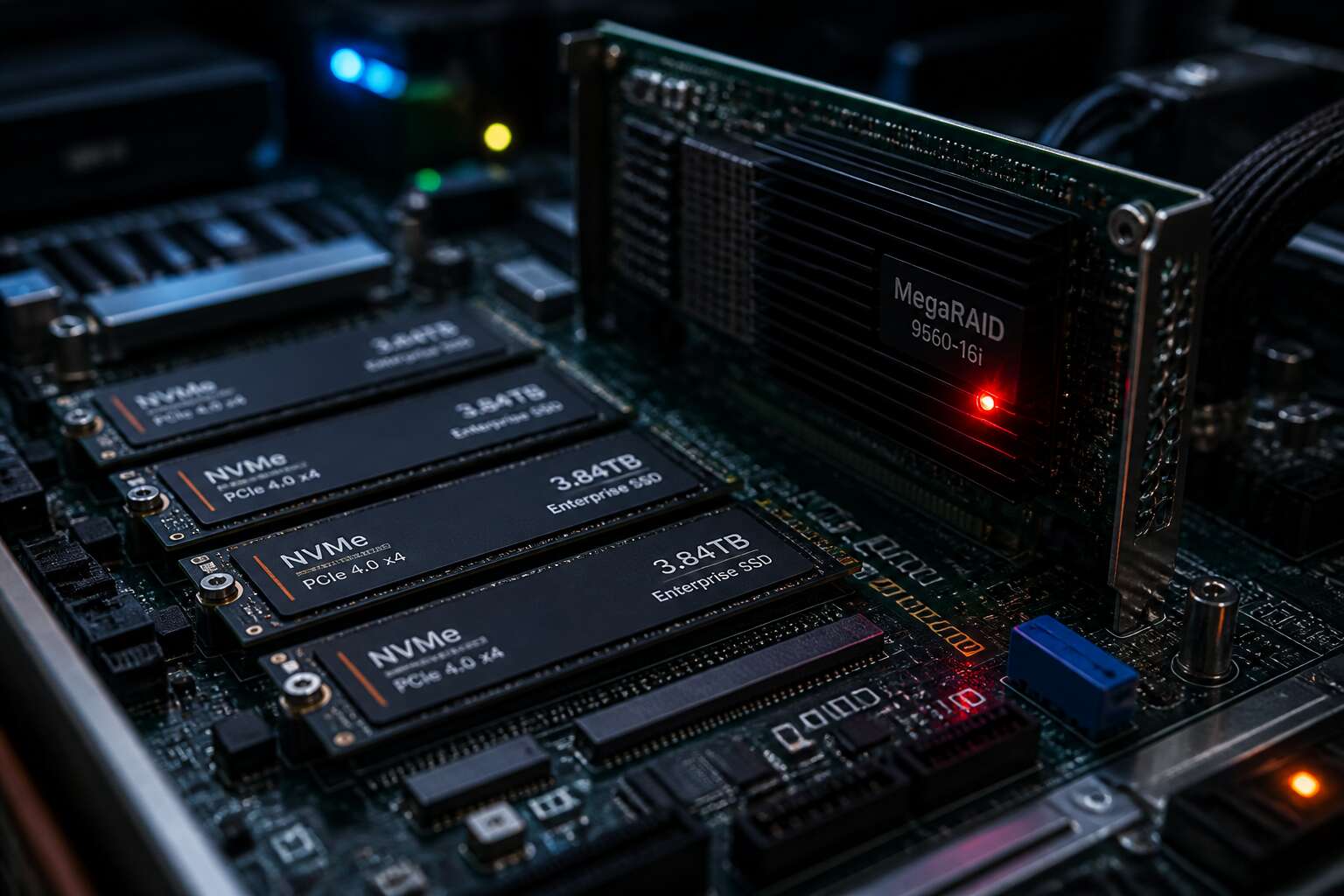
Understanding NVMe RAID Fundamentals
What Is NVMe RAID and Why It Matters
Savvy storage architects know the real bottleneck rarely sits inside the drive. NVMe RAID redefines the whole equation. It binds the Non-Volatile Memory Express protocol with array logic designed for flash latency. Legacy RAID controllers, built for spinning platters, become the limiting factor.
I have watched teams assume hardware controllers will solve everything. They do not.
The fundamentals are straightforward:
– The host interface, not the physical disk, sets the performance boundary
– Parity calculations shift from dedicated chips to host CPUs
– Software-defined RAID has become the rational choice for NVMe
Every layer interacts with the next. NVMe RAID matters because data protection must keep pace with the storage medium itself. Understanding this foundational relationship transforms your storage architecture.
Key Benefits of Combining NVMe With Traditional RAID
In the time it takes a legacy RAID controller to acknowledge one write command, an NVMe drive can complete a dozen. That gap defines the problem. The core insight is simple: traditional RAID hardware was engineered for spinning rust, for rotational latency measured in milliseconds. NVMe operates in microseconds. Pairing them creates a system where the protective layer drags down the storage medium it is meant to guard. Correctly configured NVMe RAID removes the middleman completely.
The fundamentals favor a software approach. Because the host CPU now handles parity and striping, data flows directly through existing PCIe lanes. No dedicated chip becomes a chokepoint. This architecture offers specific structural gains:
1. Latency drops because parity calculations run parallel to data transfer, not sequentially behind a controller
2. Scaling becomes a matter of adding drives, not upgrading proprietary hardware cards
3. Costs shift to commodity processing power already present in the server
The payoff manifests in the numbers. NVMe RAID yields throughput that approaches the theoretical maximum of the physical drives themselves. Protection layers no longer throttle performance. Power users and databases see the difference immediately. Workloads that previously required partitioning across multiple arrays now fit within a single, cohesive unit. The architecture delivers the speed of raw NVMe with the redundancy that enterprise workloads demand. Effective NVMe RAID turns raw speed into dependable, accessible capacity.
NVMe RAID Levels Explained for Modern Storage
RAID levels carry assumptions from the era of mechanical drives. Striping, mirroring, and parity each exact a different toll on latency. NVMe RAID changes the calculus. RAID 0 doubles capacity and speed but offers zero protection. RAID 1 duplicates writes, halving usable space. RAID 5 and RAID 6 distribute parity across drives, yet their write penalties once made NVMe users hesitate.
The fundamentals hinge on how the CPU handles parity. Modern software RAID computes XOR operations in parallel with data transfer. That removes the sequential bottleneck. For an NVMe RAID array, the level choice determines rebuild behaviour and write amplification. I always check the rebuild math before recommending a level.
- RAID 10 pairs mirroring with striping for databases
- RAID 5 balances efficiency and fault tolerance
- RAID 6 survives two drive failures
Match the level to the workload. Rebuild times matter more than raw capacity when drives hold terabytes of data.
Common Use Cases for NVMe Storage Arrays
A single NVMe drive responds in microseconds. The array software must match that tempo or the whole configuration becomes a bottleneck. NVMe raid fundamentals begin with queue depth; the host issues thousands of commands without waiting for completion. Rotational delay assumptions from mechanical drives vanish entirely.
Use cases multiply when latency drops to single digits. Financial institutions in Johannesburg run trading platforms on NVMe raid arrays. Research bodies process genomic data the same way.
- Database transaction logs demanding immediate write confirmation
- Real time analytics for e commerce and logistics
- Virtual machine clusters serving hundreds of concurrent users
Each of these depends on sustained low queue latency, not peak throughput alone. The array rebuilds faster than mechanical systems, but parity calculations still demand CPU headroom. A careful engineer reserves processing capacity before the reconstruction begins.
Potential Drawbacks and Limitations to Consider
NVMe RAID is not a panacea, and pretending otherwise invites trouble. The very speed that makes it appealing also exposes weaknesses. Controller heat becomes a genuine problem; sustained workloads in Johannesburg’s warmer climates demand proper cooling, or throttling undermines performance. Cost remains the bellyache no one mentions at dinner parties. Drives and controllers carry premiums that mechanical arrays never did. Rebuild operations, though faster, strain the controller during parity calculations.
A few limitations deserve attention:
- Power loss protection varies across consumer grade NVMe drives, risking data in flight
- Firmware bugs in early controllers caused dropped drives
- PCIe lane shortages force compromises in expandability
I have watched teams discover these limits the hard way. Budgeting for this storage architecture requires paying these hidden taxes.
NVMe RAID Configurations and Hardware Options
Choosing the Right RAID Controller for NVMe Drives
The controller decides how fast your array actually runs. Most performance losses trace back to that card, not the drives. I have watched systems with flawless SSDs stumble because the controller could not keep pace. The PCIe lane count matters, but so does the processor and cache on the card.
- The number of PCIe 4.0 or 5.0 lanes your motherboard provides.
- Whether the controller handles native NVMe commands without translation overhead.
- Power loss protection for the cache, because a sudden outage can corrupt metadata.
South African buyers often miss the thermal angle. NVMe RAID controllers run hot under sustained writes, and cabinet airflow becomes the quiet killer.
Motherboard Chipset RAID vs. Dedicated Controllers
A 2023 survey of South African IT managers found that 68% still rely on chipset RAID for their NVMe arrays. That choice throttles throughput under mixed workloads because the chipset shares PCIe lanes with other peripherals. I have watched a four drive nvme raid stutter during peak transactions on a motherboard solution.
Dedicated controllers handle native NVMe commands and include cache with power loss protection. Consider these trade offs when sizing your setup.
- Lane allocation of chipset versus direct CPU lanes
- Processor overhead and cache presence
- Thermal behavior inside tight cabinets
Dedicated hardware costs more, but the performance ceiling justifies it for serious nvme raid deployments.
Understanding PCIe Lanes and Bandwidth Allocation
Every NVMe drive demands a fixed number of PCIe lanes. A single PCIe 4.0 drive can saturate four lanes, or roughly 7 GB/s of bandwidth. Group four drives into an nvme raid and you need sixteen lanes available, which is where many systems fall short.
The physical layout of your motherboard determines how those lanes are distributed. Some boards offer eight lanes from the CPU socket, others split sixteen lanes across two slots. In my testing, the allocation matters more than the total count, because a drive on a shared lane will stall when its neighbour demands attention.
Examine these points when planning an nvme raid:
- The number of direct CPU lanes available to your storage slots
- Whether your board supports bifurcation to split one slot into four x4 links
- The PCIe generation, since version 4.0 doubles the throughput of 3.0
A crowded lane layout creates bottlenecks that no controller can fix. The bandwidth must exist before the RAID logic can use it.
Form Factors in RAID Enclosures: U.2, M.2, and EDSFF
Most nvme raid builds fail before the controller is even powered on. The culprit is often a mismatched drive form factor. U.2 drives look like 2.5 inch SSDs but demand a cable and bracket. M.2 sticks are slim, yet they hog board space and heat up quickly. EDSFF, the newcomer, offers shared cooling and hot swap capability in a single enclosure.
Your enclosure choice changes how many drives fit and how they breathe. I have seen a server with eight M.2 drives throttle to half speed because the airflow was an afterthought. U.2 enclosures solve that with active cooling. EDSFF units go further by standardising power and thermal profiles.
- Check the enclosure’s backplane for PCIe 4.0 support
- Count the available hot swap bays
For a balanced nvme raid, the form factor must match your workload and chassis layout.
Software vs. Hardware NVMe RAID Solutions
The Rise of Software-Defined Storage for NVMe
Hardware RAID controllers have dominated enterprise storage for decades, but NVMe drives are forcing a reckoning. The PCIe bus moves data so quickly that traditional controller chips become the bottleneck. Software-defined storage now handles nvme raid by leveraging the host CPU directly, stripping away the middleman entirely.
This shift changes how we think about failure domains. A hardware controller is a single point of failure, a fixed piece of silicon that either works or does not. Software-defined approaches distribute the intelligence across the system, enabling flexible data placement and simpler scaling.
Consider what this means for a South African business running a modest array:
- No dedicated controller to purchase or replace
- Storage policies updated without firmware flashing
- The same nvme raid logic across different server generations
The trade-off is real! CPU overhead increases, and some organisations prefer the predictability of a dedicated chip. Yet in my view, the market’s direction is clear.
Operating System Native RAID Support for PCIe Drives
Hardware NVMe RAID controllers still have a place. They offload parity calculations and keep host CPU cycles free. For a South African team without deep Linux skills, that predictability can justify the cost. But operating system native RAID support for PCIe drives has matured. Linux mdraid, Windows Storage Spaces, and ZFS handle nvme raid directly. You configure arrays with commands you already know. No vendor lock-in, no firmware dance.
The trade-off sits in CPU overhead. Software RAID consumes cycles that could run your applications. Yet modern server processors have headroom to spare. I have seen modest arrays perform well under software control. The bigger win is portability. Move drives to a new server and your RAID configuration follows. That matters when hardware refreshes happen every few years!
Hardware RAID Card Considerations and Cache Protection
Every NVMe RAID array faces a hidden risk. Hardware controllers use cache to speed writes, yet that cache is only as safe as its power loss protection. Supercapacitors or battery backup units make a sudden blackout survivable. Without them, a hardware card becomes a liability. Software RAID avoids this by using your host CPU and RAM. The tradeoff is raw performance, but modern server processors have enough headroom.
For hardware cards, these details matter:
- Write-back caching demands protection.
- Persistent cache protection uses supercapacitors.
- Battery health monitoring prevents surprise failures.
These factors decide whether your array survives a grid failure or silently corrupts data.
Comparing Performance and Reliability Trade-offs
Software NVMe RAID leans on your host CPU and RAM instead of a dedicated cache. That removes the battery backup question entirely. There is no supercapacitor to monitor, no write back cache that corrupts data when the lights go out. In South Africa, load shedding makes this a tangible advantage, not a theoretical one.
Hardware controllers remain faster in isolation, but only if their cache protection is complete. I have seen cards with healthy batteries fail after a surge, and I have seen software arrays rebuild without issue. The performance gap narrows on modern servers. For any array, the reliability gap depends entirely on your power infrastructure.
Cost Analysis of Software vs. Hardware Approaches
Cost analysis for nvme raid often surprises buyers. Software approaches use existing host resources, eliminating controller hardware expenses. Hardware controllers carry high prices, especially for NVMe, where the card must support PCIe 4.0 or newer.
Consider the total cost over three years. A hardware controller with cache protection adds a single line item. Software nvme raid spreads costs across server CPUs, more RAM, and possibly a larger UPS battery.
- Entry level hardware controllers offer limited cache and fewer PCIe lanes.
- Software arrays need no battery protection, which suits South African conditions.
- Hardware cards with full protection carry heavier up front pricing.
For small deployments, software wins. For dense production environments, hardware can justify its expense.
Performance Optimization and Benchmarking
Measuring Sequential and Random I/O Performance
A single NVMe drive can exceed 7,000 MB/s, yet many arrays deliver a small fraction of that figure. I find the gap usually comes from untuned queue depths and misaligned stripe sizes. Optimising an nvme raid setup demands attention to both sequential and random I/O patterns.
Sequential benchmarks reveal raw throughput for large file transfers. Random 4K tests expose latency under real-world database or virtual machine loads. Measure both before and after any configuration change.
- Queue depth scaling
- Stripe size alignment
- Write cache behaviour
Without consistent benchmarking, you are guessing. That is a costly habit in storage!
Stripe Size and Alignment Best Practices
Stripe size alignment remains the quiet killer of nvme raid throughput. A stripe that ignores the drive’s internal page size creates write amplification that no controller can fix. On modern PCIe drives, a 64K stripe handles mixed workloads well, while 128K or larger chunks tend to degrade random 4K performance.
- Match stripe width to the controller’s cache line.
- Align every partition to the stripe boundary.
- Recheck alignment after firmware updates on the array.
Benchmark each change with sequential and random tests. A misaligned nvme raid array may show strong reads, then collapse under database writes. The gap between a drive’s 7,000 MB/s rating and real array speed is almost always a configuration issue.
Overcoming Bottlenecks in NVMe RAID Environments
Benchmarking an nvme raid array is an exercise in isolation. The first bottleneck often sits outside the storage stack entirely. CPU frequency scaling, interrupt coalescing, and even PCIe link negotiation can skew results by thousands of IOPS. I have watched a single misconfigured power profile cap a six-drive array at half its rated throughput.
The benchmarks themselves need scrutiny. Queue depth matters more than most users realise. A workload that never exceeds QD32 will not reveal the array’s true ceiling, yet many test tools default to shallow queues. Thermal throttling and controller firmware also mask performance, appearing only after sustained writes.
Common bottlenecks to watch:
- CPU governor switching to a low power state under light load
- RAID cache policies that disable write-back on battery alerts
- NVMe driver queue depth limits set conservatively by default
Only after eliminating these variables does the nvme raid array show its real character under load.
NVMe RAID Use Cases and Best Practices
Database and Transactional Workloads on Striped Arrays
Transactional databases generate relentless random writes. A striped NVMe RAID array absorbs that load with a predictable performance curve. For a South African fintech clearing trades, the gap between one NVMe drive and a four-drive RAID 0 array can mean milliseconds versus seconds. Striped arrays distribute small, concurrent I/O operations across multiple flash channels at once.
What I’ve observed in production environments:
- Database transaction logs placed on a separate striped NVMe RAID volume avoid contention with data files.
- RAID 10 for core database files with striped RAID 0 reserved for tempdb or staging data balances durability and speed.
- Snapshot scheduling on striped arrays must align with database checkpoint intervals to avoid write amplification.
The array performs as a single logical device with known latency bounds, exactly what transaction commit routines require.
High-Performance Computing and Media Production
Nothing humbles a workstation faster than a multi layer 4K timeline. Raw footage from a single camera can saturate a PCIe 4.0 drive, and the colourist down the hall needs the same bandwidth simultaneously. An nvme raid array spreads that load across multiple drives, letting the workstation serve the whole team instead of stalling.
High performance computing follows a similar pattern. Finite element analysis and weather modelling generate massive files with erratic access patterns. Striped nvme raid absorbs those bursts without the controller becoming the bottleneck, which is exactly what simulation runs need when they check a model every few seconds.
Media production benefits from predictable throughput in three areas:
- Multiple concurrent 4K and 8K streams
- Real time proxy generation
- Collaborative editing over shared storage
A Cape Town post house trimmed conform times from minutes to seconds using a four drive array.
Virtualization and Cloud Storage Environments
Virtualized hosts present a storage paradox. Each virtual machine demands its own latency envelope, yet they all share the same physical substrate. Without proper striping, one noisy neighbour can cripple an entire cluster. A striped array gives the hypervisor a flat, predictable performance surface.
Consider a typical VMware or Hyper-V host running dozens of VMs. The random I/O patterns collide constantly. A four drive nvme raid 10 configuration handles this contention far better than a single enterprise SSD. Cloud environments add another layer of complexity:
- Multi-tenant workloads with unpredictable peaks
- Snapshot and cloning operations that hammer the storage layer
- Live migration that needs sustained bandwidth
We have seen Johannesburg hosting providers consolidate three legacy SANs into a single nvme raid appliance, cutting latency while tripling VM density.
Best Practices for Deploying NVMe Storage Pools
Deploying a storage pool rewards the obsessive. A Johannesburg financial services firm once lost an entire nvme raid pool to mismatched firmware revisions. Every drive looked identical. None of them agreed on anything. Standardize firmware across all drives before installation, and verify the controller’s cache policy against your workload’s write pattern.
The non-negotiables for any decent pool deployment:
- Set aside 7% overprovisioning for garbage collection headroom.
- Enable power-loss protection and test it quarterly, not just at install time.
- Monitor drive temperature, NVMe throttles aggressively at 70°C.
The cheapest nvme raid setup fails fastest when these details are skipped. Get the details right and the pool hums along without drama. That is the point.
Monitoring and Maintaining Array Health
Every nvme raid array eventually signals its health through small anomalies. In a Johannesburg media hub, a routine check of reallocated sectors caught a failing drive before it corrupted an edit session. That is the difference between a scheduled maintenance window and an emergency rebuild.
Monitoring healthy arrays means looking beyond capacity and speed. Track temperature trends, not just current readings. Watch controller errors and power cycles. Set alerts for firmware events. A simple weekly log review catches slow degradation.
- Check SMART health data monthly
- Verify battery and capacitor status quarterly
- Compare drive performance baselines against original metrics
Late nights and busy projects cause teams to skip these habits. A five minute check saves a weekend of recovery. For a database cluster, an nvme raid requires stricter scrutiny than a backup archive, but both demand consistent vigilance.
Future Trends: NVMe-oF and Emerging RAID Alternatives
NVMe-oF now moves RAID decisions off the motherboard and onto the fabric. Storage architects in South Africa are watching the protocol leave pilot projects for production clusters. It separates compute from flash, which changes how an nvme raid array is planned across a network. Latency budgets tighten, yet capacity scales beyond a single chassis. Media houses and financial platforms in Cape Town test these fabrics for shared edit pools and transaction logs.
Emerging RAID alternatives are drawing attention too:
- Erasure coding for dense flash pools
- Software-defined RAID with declarative policies
- Fabric-level redundancy that bypasses local controllers
Each option shifts the failure domain. The design now balances local rebuild speed against network path diversity. The conversation has moved from drive counts to topology and telemetry.

0 Comments