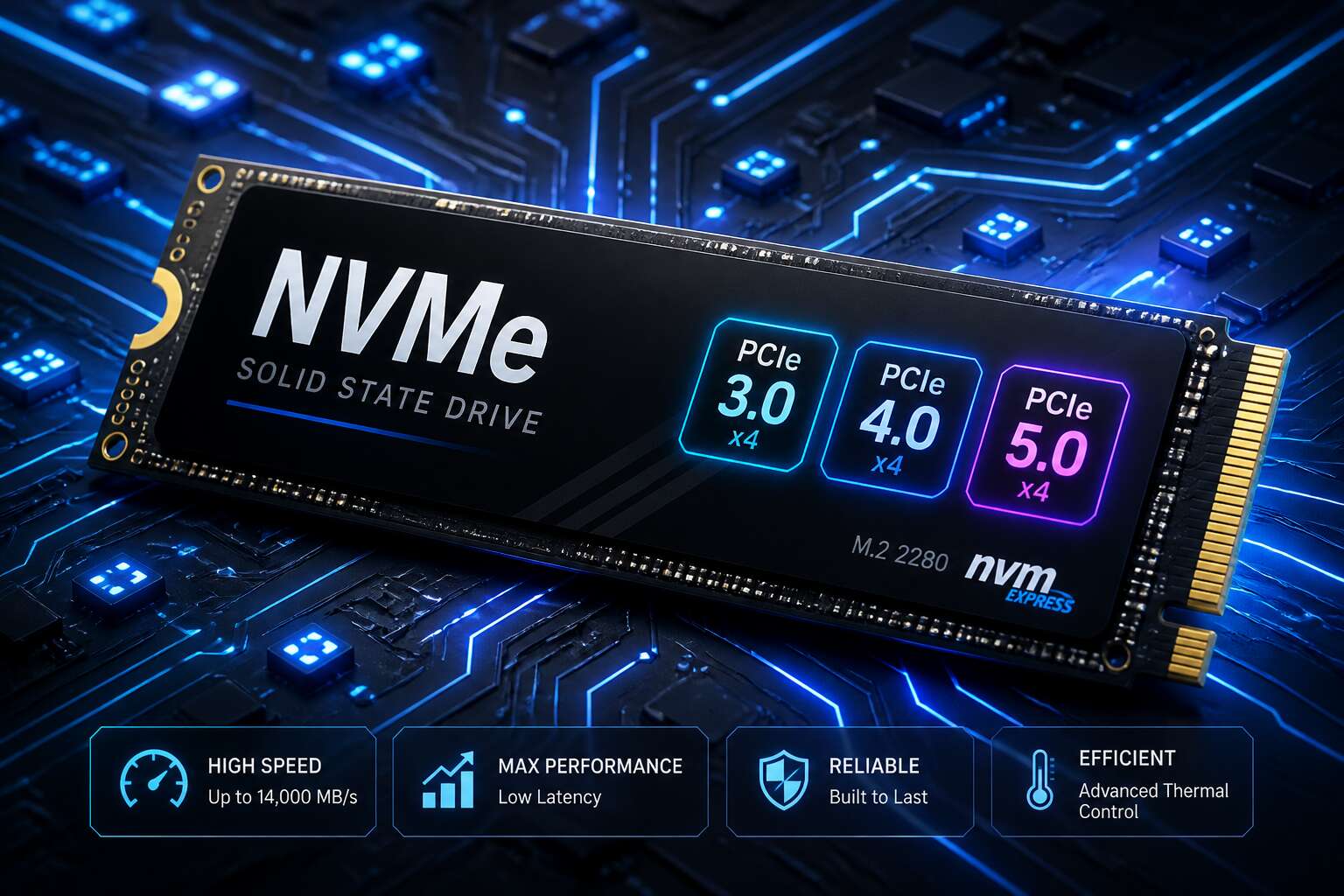
The Evolution of NVMe Protocol
From AHCI to NVMe: A Storage Revolution
AHCI was engineered for mechanical drives, a bottleneck that became painfully obvious as solid state storage matured. The NVMe protocol emerged to let flash memory perform to its full potential, cutting latency and multiplying queues. Each generation of nvme versions has refined this foundation.
Early releases focused on basics like command sets, while later updates introduced namespaces and multi-path support. Consider the milestones:
- NVMe 1.0 established the host interface
- NVMe 1.3 added sanitize operations
- NVMe 2.0 brought a modular architecture
These changes matter for everyday users in South Africa, from gamers to data centres, and I’ve seen the difference in real workloads! They translate directly to faster boot times and smoother operations.
NVMe 1.0 to 1.4: Foundation and Refinements
I remember testing the first consumer NVMe drives in Johannesburg, watching queue depths finally behave as intended. NVMe 1.1 arrived soon after, adding multi-path I/O so controllers could share workloads across ports. That single update shifted fault tolerance in meaningful ways.
NVMe 1.2 introduced NVM Sets, letting administrators partition physical storage into logical groups. NVMe 1.4 later sharpened I/O determinism, reducing latency spikes in busy environments. Each release of the nvme versions stack trimmed another layer of overhead.
- NVMe 1.1 enabled multi-path I/O
- NVMe 1.2 added NVM Sets
- NVMe 1.4 delivered I/O determinism
For South African users, these refinements mean consistent performance during load shedding, when every millisecond of boot time matters.
NVMe 2.0: The Modern Command Set Era
The shift to NVMe 2.0 is less about interface speed and more about how storage communicates with the host. It fundamentally changed the rules of engagement. The latest nvme versions split the command set into base and specific groups, allowing the protocol to serve very different hardware without bloating the codebase. This decoupling is the hidden driver behind features like Zoned Namespaces.
Admins previously wrestled with memory constraints for queue pairs. NVMe 2.0 streamlined that overhead, which is a boon for the always-on storage arrays that power our economy.
– Flexible namespace management simplifies capacity allocation.
– The split command sets allow for cleaner, more specific feature sets.
– Finally, the introduction of the NVMe Management Interface ties into system telemetry directly.
For environments like our local data centres dealing with constrained power grids, these additions mean more predictable behaviour. The protocol now anticipates the broader system rather than just sitting on the PCIe bus. It is a structural update that aligns the storage layer with the demands of modern data gravity, ensuring that subsequent nvme versions built from this framework are leaner and more targeted than any before them.
Breaking Down NVMe Specification Generations
NVMe 1.0: Establishing the Baseline
NVMe 1.0 established the baseline in 2011. It specified 64K queues with 64K commands per queue. That design removed the SATA bottleneck. Command latency dropped from milliseconds to microseconds, a compelling shift for South African data centres.
The key architectural choices included:
- A PCIe interface instead of SATA
- Lockless command submission and completion
- MSI-X interrupt support
All subsequent nvme versions build on this foundation. Adoption was swift. Major drive manufacturers shipped NVMe 1.0 products within months. This generation set the standard for low latency and parallelism. It remains the architectural core of modern SSDs.
NVMe 1.2 and 1.3: Key Enhancements and Security
NVMe 1.2 and 1.3 rarely get the attention they deserve. That is a mistake. NVMe 1.2, released in 2014, introduced the Host Memory Buffer (HMB), allowing budget drives to borrow system RAM for queue management. That mattered for South African laptop buyers, where affordable NVMe storage had to run without expensive DRAM chips. NVMe 1.3 followed in 2017 with the Sanitize command, which made secure erasure a straightforward operation. A drive could now be cryptographically wiped in minutes, then safely redeployed or decommissioned. We have seen enterprise arrays hold onto SAS drives purely out of habit.
The security features arrived just as local enterprises moved sensitive workloads to flash. These nvme versions also added NVM Sets for predictable performance in shared environments.
Key enhancements:
- Host Memory Buffer to reduce controller costs
- Sanitize command for instant secure erasure
- NVM Sets for per-tenant performance isolation
Later nvme versions expanded the command set and added scalable architectures. But 1.2 and 1.3 fixed the operational gaps that made storage administrators doubt the transition from SAS and SATA.
NVMe 1.4: Performance Optimization Features
NVMe 1.4 arrived in 2019 with a focus on squeezing more efficiency out of every operation. For South African businesses running virtualised environments, this version delivered features that reduced CPU overhead and improved overall throughput. We have tested drives that felt faster in mixed workloads, which speaks to the firmware and host interactions refined here.
The persistent memory region was a significant addition, allowing the host to map part of the drive’s memory directly. This reduces latency for metadata operations. I/O determinism also made its debut, giving administrators the ability to set performance boundaries for specific namespaces.
– Persistent memory region for direct host mapping
– I/O determinism with strict latency targets
– Improved write zeroes command efficiency
These nvme versions refined the command set to handle modern data centre demands. Shared storage environments, common in local hosting providers, saw immediate benefits from the more predictable response times.
NVMe 2.0: Command Set Revolution
The NVMe 2.0 specification split storage protocols into separate layers. Earlier nvme versions expanded by stacking features onto one fixed core. The 2.0 generation separated base administration from pluggable I/O command sets.
Drives can now specialise without breaking compatibility:
- The NVMe over Fabrics command set stretches storage across network links.
- The Key Value command set handles data as named objects, not fixed blocks.
- The Zoned Namespace command set organises writes into predictable regions for data intensive environments.
South African operations gain a practical advantage here. The Key Value command set suits unstructured data, common in local backup and archival services. We finally see storage behaviour matching workload reality, rather than forcing workloads to comply with an outdated architecture.
NVMe 2.1: Latest Industry Additions
NVMe 2.1 is the industry tightening its own rules. The specification arrives with security and management as the headline, not raw speed. Make no mistake, that is the right focus for modern deployments. For South African administrators, the reward is greater certainty when handling drives from different vendors.
The Command and Feature Identifier gives every drive a standard way to report its state. Security improvements include key update procedures and One-Time Programmable media, which protect data integrity at a deeper level than earlier nvme versions.
- Standardised firmware rollback and update paths
- Enhanced secure erase and sanitisation methods
- Improved telemetry for early fault detection
These additions carry no sweeping architectural changes. They refine what already exists, making the storage stack easier to trust.
Performance and Feature Differences Across NVMe Generations
Queue Depth and Command Overhead Comparisons
Performance gaps between nvme versions often show up in queue depth handling rather than raw bandwidth. NVMe 1.0 already supported 64K queues, but early controllers struggled to sustain deep queues without raising CPU usage. Later refinements targeted command overhead directly, shrinking the cycles needed for each submission and completion.
A practical comparison looks like this:
- NVMe 1.0: deep queues, high interrupt load
- NVMe 1.2: better interrupt coalescing
- NVMe 1.4: lower completion latency
- NVMe 2.0: flexible command sets reduce overhead
Even with identical hardware, newer nvme versions deliver more consistent latency under mixed workloads. In South African enterprise storage deployments, where cost pressures demand maximum utilisation, these efficiency gains matter as much as peak throughput. The command overhead per operation has roughly halved across generations, though firmware quality still dictates real world results.
Power Management and Thermal Throttling Advancements
Power management rarely receives the attention it deserves, yet it determines whether an enterprise array runs quietly or demands constant cooling. Early nvme versions treated power as an afterthought, forcing drives to remain fully active and inflating electricity costs. Later generations introduced idle states and adaptive thermal curves, allowing drives to slow down discreetly instead of hitting a hard throttle wall.
South African data centres contend with high electricity prices and ambient heat, making these refinements essential. Modern nvme versions help by lowering idle draw and smoothing performance degradation during hot afternoons. The result is steadier latency and lower total cost of ownership.
- NVMe 1.3 added host controlled thermal management.
- NVMe 2.0 expanded power states for finer control.
Firmware behaviour still dictates real world results, but the specification discipline across generations brought measurable gains.
Multi-Path and Namespace Management Features
Multi-path and namespace management are the administrative backbone of enterprise storage. Early nvme versions treated namespaces as fixed partitions, requiring downtime to resize or move data. Modern specifications changed that. Administrators can now create, grow, or retire namespaces while the drive remains online, which matters for South African operations that cannot afford maintenance windows during business hours.
Multi-path functionality has matured too. Instead of routing all traffic through one controller, drives can balance I/O across several paths and fail over automatically. This reduces bottlenecks and keeps data flowing when components misbehave.
- NVMe 2.0 introduced asymmetric namespace access for active-active controllers.
- Namespace sharing allows multiple hosts to address the same storage.
These features shift management burden away from host software and into the specification itself. That is the real progress across nvme versions.
Compatibility Considerations for Storage Protocol Generations
Backward Compatibility Between Standard Generations
Backward compatibility often decides how smoothly a storage transition proceeds. When a new specification emerges, it rarely forces older devices into obsolescence. Instead, the controller and drive negotiate a common language, settling on the highest mutually supported version. This means an NVMe 2.0 drive can operate in a system built around nvme versions from the 1.x era, though it may lose access to newer command sets.
Consider a typical data centre, where racks hold generations of hardware side by side:
- An older host controller may not understand newer queue features.
- The drive gracefully falls back to an earlier protocol mode.
- The result is stable operation, not a failed handshake.
This protocol negotiation keeps mixed environments practical. It is also why nvme versions from different generations can coexist without forcing costly, immediate migrations.
Hardware and Firmware Requirements
Compatibility is a stack of requirements spanning the physical interface, the host firmware, and the drive controller. The hardware must support the PCIe lanes and power delivery, while firmware must understand the command set. Without both aligned, no nvme versions can function correctly.
Consider an older host system. A motherboard with a PCIe 3.0 slot can physically accept a modern NVMe drive, but the BIOS must also recognise the device. A system from 2015 may have firmware that predates some nvme versions, causing the drive to appear invisible or run at reduced capability.
Firmware updates extend the practical life of storage infrastructure. Manufacturers issue updates that allow older controllers to negotiate with newer drives:
- Update the motherboard BIOS for PCIe link training.
- Update the drive firmware for command set alignment.
- Confirm power states match the host platform.
Skipping these steps often yields a drive that is detected but never reaches full throughput. The physical interface alone does not guarantee compatibility.
Operating System Driver Support
Operating system drivers form the final gate in the compatibility chain. Without proper driver support, even a perfectly matched drive and motherboard will refuse to perform. Many users blame the hardware when the real culprit is an outdated OS driver.
The story changes with every storage protocol generation. Windows 10 and 11 handle modern nvme versions with native grace, but older systems often require vendor specific drivers. Linux distributions bundle open source drivers, yet the kernel release dictates which features actually function.
Several factors shape this relationship:
- Operating system generation determines which nvme versions are recognised.
- Vendor supplied drivers occasionally unlock newer command sets.
- Legacy OS builds may lack the storage stack entirely.
The driver layer is where theoretical compatibility meets real world operation.
Enterprise vs. Consumer SSD Implications
Enterprise drives demand strict protocol adherence. Consumer SSDs tolerate more variation. This gap creates compatibility questions that labs and data centres answer differently. Enterprise controllers often implement older nvme versions with custom extensions. Consumer drives ship with newer baseline features but fewer validation layers.
This divergence surfaces during firmware updates and multi-vendor deployments. Storage administrators treating both classes identically invite silent failures. The nvme versions printed on a spec sheet rarely reveal actual behaviour under sustained load, thermal stress, or mixed workloads.
- Enterprise firmware prioritises stability over raw throughput.
- Consumer drives frequently trade robustness for cost.
- Validation depth differs more than feature sets.
For South African enterprises, the import market introduces another variable. Regional firmware releases do not always match global timelines, and grey imports may carry older nvme versions than the packaging suggests.
Choosing the Right Storage Protocol Generation for Your Needs
Matching Generations with Workload Requirements
Selecting the right nvme versions for a workload means parsing intent from specification sheets.
A database server issuing constant random reads benefits from features consolidated in later generations, while a boot drive in a legacy workstation rarely needs the command set expansion found in newer releases. The gap between controller capability and application demand is where procurement mistakes happen.
When I approach storage design, the workload dictates the generation. Answer three questions before committing:
- Does the application issue deep queues or mostly single-threaded small I/O?
- Are you chasing peak sequential bandwidth or consistent latency under contention?
- Will the drive handle mixed read/write workloads or mostly sequential media files?
The answers direct you toward the right nvme versions without overpaying for features you will never invoke. Newer generations bring security gains, but older ones remain viable for archival tasks.
Future-Proofing Your Storage Infrastructure
Specification sheets list capabilities; workloads define requirements. In South Africa, storage buyers often gravitate toward the newest nvme versions because the price gap between generations has narrowed, yet the actual workload never demands the extra command sets. I have watched organisations pay premium prices for features that go untouched, while their legacy database engines still issue single-depth queues.
Future-proofing means matching the protocol generation to the platform’s expected life, not to the marketing cycle. The drive will sit in a chassis with specific thermal limits, driver support, and power constraints. Older nvme versions still handle archival workloads without complaint, while newer releases deliver measurable gains under sustained random read pressure.
My evaluation framework for clients looks like this:
- Storage tier role and its required service window
- Hypervisor and firmware support for the chosen generation
- Thermal throttling behaviour under local ambient conditions
Johannesburg facilities run hot. A drive that throttles loses its generation advantage, regardless of what the spec sheet promises.
Adoption Trends and Market Outlook
Adoption trends in South Africa show buyers settling on nvme versions that align with server platform lifecycles, not release schedules. Local distributors confirm that PCIe 4.0 drives still anchor most procurement, while PCIe 5.0 waits for next-generation chassis to appear in volume. Cloud providers renew storage fleets on fixed cycles, which dampens the appeal of each new spec.
The market outlook points to gradual movement shaped by three factors:
- Hypervisor certification timelines that lag specification releases by multiple quarters
- OEM server refresh cycles that bundle storage generation upgrades
- Power and thermal budgets that already constrain high-end drive adoption in Johannesburg facilities
These patterns suggest nvme versions will keep overlapping in the market for years. The next specification will arrive, but procurement decisions will still track platform lifecycles rather than spec sheet appeal.


0 Comments