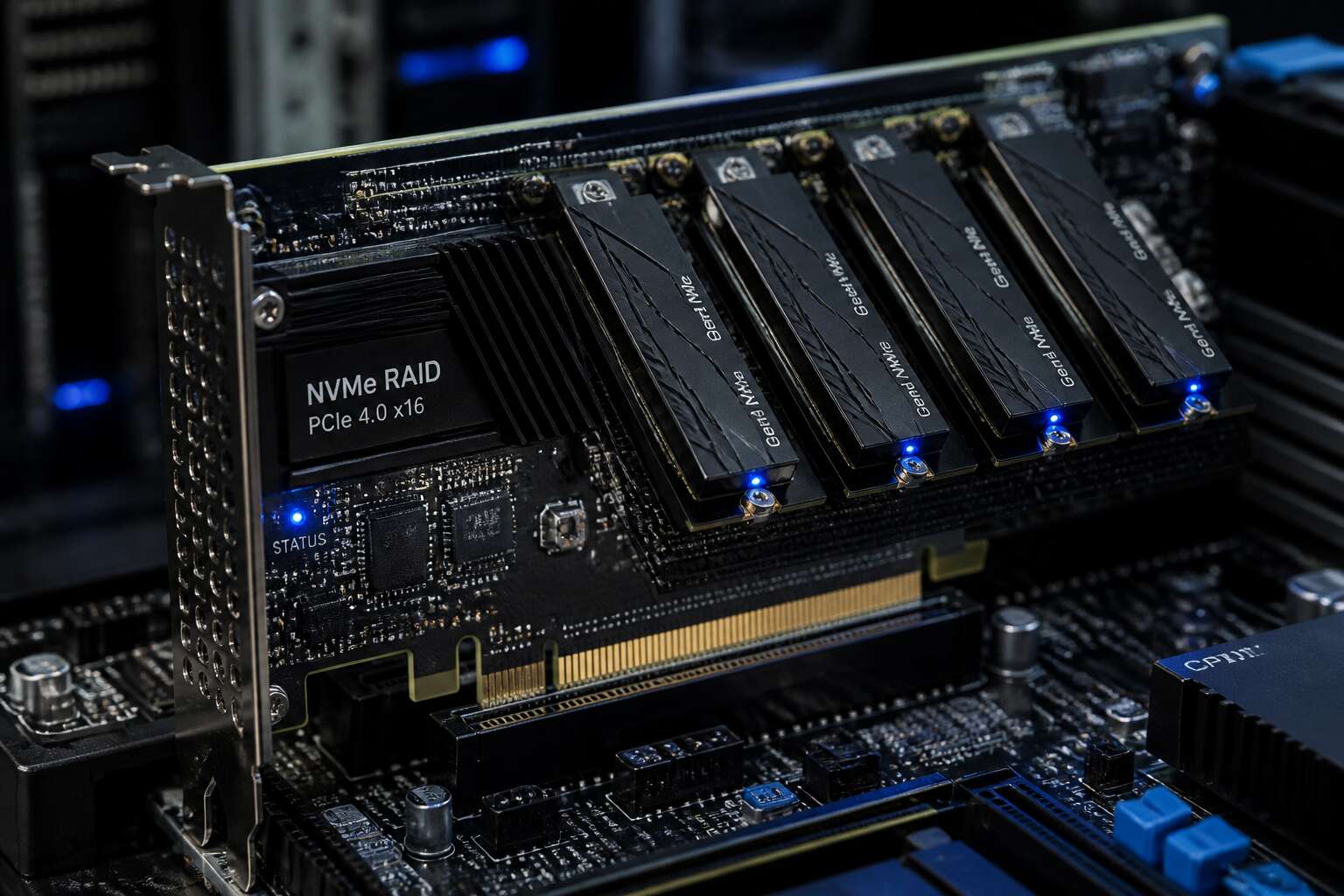
Decoding RAID and NVMe Integration
What Makes NVMe Drives Different from SATA SSDs
The gap between SATA SSDs and NVMe drives is not a minor spec bump. SATA was built for hard drives, so its command queue is a bottleneck. NVMe uses the PCIe bus and supports thousands of outstanding commands. This changes how a raid controller must manage data.
For example, an nvme raid controller must process parallel queues instead of serial tasks. Without this, the drive’s speed is wasted. Consider these differences:
- Lower latency for read and write operations
- Direct connection to the CPU via PCIe
- Higher queue depth potential
These factors mean the controller’s firmware matters more than ever. A SATA-based array might hide weak firmware, but NVMe exposes it. When you plan a new build, understand that the nvme raid controller dictates real world performance. The drive alone cannot compensate for a weak controller.
The Role of a Controller in Hardware RAID
Your NVMe drives deliver data at speeds that overwhelm older storage logic. When you place them in a hardware RAID array, the nvme raid controller determines the actual performance. That controller’s firmware governs every read and write request. In many enterprise systems, this firmware is the limiting factor.
- Mapping logical blocks across multiple drives in parallel.
- Recalculating parity on every write without stalling the pipeline.
- Fielding thousands of outstanding commands from each drive.
If the controller fails at any one of those, the entire array becomes the bottleneck. The drives wait, the CPU waits, and your storage budget evaporates!
How NVMe and RAID Technologies Interact
Three million IOPS on a single drive, yet most production arrays see a fraction of that. The gap comes from a structural mismatch. RAID was built for an era of spinning platters and a single command queue per drive. NVMe hands each drive 64,000 parallel queues. Getting them to agree on a single write operation falls to the nvme raid controller.
Decoding that interaction means mapping three distinct boundaries:
- The OS driver translates file operations into NVMe command sets
- The RAID controller reinterprets those commands as stripe positions
- The PCIe bus moves the data with no SATA serialization chokepoint
Each boundary strips away or preserves the parallelism NVMe was designed to deliver. You can measure the controller’s success in that conversion.
Evaluating RAID Levels for NVMe Performance
Every RAID level asks a different question of the nvme raid controller. RAID 0 asks how fast the array can run without oversight. RAID 1 asks how much duplication the controller can stomach. RAID 5 and RAID 6 ask whether parity maths can keep pace with 64,000 parallel commands instead of blocking them.
We tend to assume bigger RAID numbers mean better protection. That assumption unravels with NVMe. Stripe size, cache policy and rebuild priority acquire new weight. An nvme raid controller’s inability to mask a slow parity calculation becomes obvious immediately. The genius of the drive will not compensate for an indolent controller!
- Sustained write throughput with parity enabled
- Rebuild duration while production traffic continues
- Latency variance rather than average response time alone
The controller that manages these variables preserves the drive’s original character. The one that does not forfeits NVMe’s advantage entirely.
Performance and Reliability Gains
Achieving High Throughput and Low Latency
Under sustained workloads, NVMe drives can exceed million IOPS, yet many RAID configurations lose that performance. Achieving high throughput and low latency demands an nvme raid controller with deep queue supportand effective multi-queue scheduling. In South Africa, where network latency varies wildly, consistent response times beat raw peak numbers. The controller must distribute commands across all NVMe paths without creating a single-point bottleneck.
Reliability gains depend on robust error handling, not on drive redundancy alone. An nvme raid controller with dedicated features can mitigate common failures:
- Power-loss protection keeps cached writes safe during load shedding.
- Transparent failover reroutes I/O when a disk drops, avoiding session interruptions.
- Predictive monitoring flags weak NAND cells before they cause corruption.
For transactional databasesand real-time dashboards, these safeguards translate into fewer aborted queries and steadier latency profiles. The controller handles these tasks automatically, freeing administrators to focus on growth!
Data Redundancy Without Sacrificing Speed
Redundancy has a reputation for being the boring safety net that drags everyone down. That reputation is outdated. A dedicated nvme raid controller computes parity in dedicated silicon, freeing the host CPU from that chore. The result is mirrored or striped protection with write speeds that do not collapse under load.
Specific techniques maintain the pace:
- Inline XOR engines process parity during each write cycle.
- Write-back caching merges small random writes into larger contiguous blocks.
- Adaptive rebuild timing prioritises live traffic over reconstruction.
For South African operations, this distinction matters. When load shedding introduces unexpected downtime, a hardware-based controller recovers arrays faster, without forcing administrators to monitor a degraded volume. That is a relief you can feel in your response times!
Reducing CPU Overhead with Dedicated Hardware
Every CPU cycle spent managing storage is a cycle stolen from your applications. A dedicated nvme raid controller shifts that burden onto its own processor and memory. The host CPU simply issues commands and moves on. This matters in production environments where database queries and virtual machines compete for every clock tick.
Consider what the controller handles on its own:
- Parity calculations for RAID 5 and RAID 6
- Command queuing and reordering
- Background tasks like scrubbing and rebuilds
With those tasks offloaded, your servers keep their compute power where it belongs. We have seen measurable gains in application response times after deploying an nvme raid controller. The hardware does the work, and your CPU stays free for the tasks that actually drive revenue!
Choosing Between Hardware and Software RAID
Hardware RAID Adapters: Benefits and Limitations
The decision between software RAID and a dedicated nvme raid controller often comes down to who owns the data path. Software RAID uses the host’s processing resources, while a hardware adapter brings its own processing component to the ecosystem.
Hardware RAID adapters deliver specific benefits that are difficult to replicate in software. I have seen rebuilds proceed smoothly on a hardware adapter, while a software setup stumbles under load. They isolate rebuild operations and maintain a stable cache environment in case of sudden power loss. Their limitations are equally concrete. They occupy a physical PCIe slot, require specific cable routing, and introduce a notable cost to the server configuration.
- Dedicated cache memory for consistent write performance
- Independent power protection for cached data
The trade-off is straightforward. Software RAID provides easy portability and zero additional hardware expenditure. Selecting the nvme raid controller provides operational predictability. For South African businesses dealing with fluctuating workloads, that predictability often justifies the initial purchase.
Software RAID Solutions for NVMe Arrays
Software RAID for NVMe arrays presents a philosophical problem. Every operation runs through the host’s scheduler, which means the array requests attention from the same processes it serves. An nvme raid controller removes that dependency, yet introduces a fixed point of failure and a permanent physical presence.
For South African teams with limited server rooms, the choice often reduces to how much control you are willing to delegate. Software demands patience and monitoring. Hardware demands capital and planning. Neither path is inherently superior; the correct answer emerges from your specific circumstances.
Hybrid Approaches and Offloading Strategies
Most administrators assume RAID is an all or nothing choice, but hybrid configurations disprove that assumption! A South African team with fluctuating storage demands can direct high priority workloads through an nvme raid controller while leaving bulk archival traffic to software RAID. This separation preserves flexibility without sacrificing the offload benefits. The deciding factor is workload classification; some data streams tolerate scheduler jitter, others do not. Offloading strategies vary, but effective ones share common traits:
- High transaction volumes get dedicated hardware paths.
- Sequential writes remain on software arrays to save cost.
- Monitoring systems track both paths to catch divergence.
The result is a tailored arrangement rather than a universal prescription. In limited server rooms, this approach reduces heat output and cabling while still providing hardware acceleration where it matters. The nvme raid controller becomes one tool among several, not the entire answer. For South African operations, this pragmatic middle ground often delivers a practical balance between capital expenditure and operational control.
Compatibility Considerations with Motherboards and Operating Systems
A single PCIe slot can become a bottleneck before an nvme raid controller initializes. Motherboard manufacturers allocate lanes unpredictably, especially on consumer chipsets. Operating systems add a layer; some Linux distros struggle with RAID firmware, while Windows requires signed drivers for older controllers. Compatibility is a negotiation between your hardware, OS, and board.
Several compatibility points matter:
- PCIe lane distribution across M.2 slots varies by motherboard model.
- UEFI mode can expose the controller before OS installation.
- OS version determines available driver support for the controller.
South African IT teams order components from abroad, so returns cost time. One failed compatibility check can turn a hardware RAID investment into a paperweight. Software RAID sidesteps issues, but it cannot solve lane sharing or BIOS limits. The choice rarely involves speed alone; it is about how deeply the nvme raid controller integrates with your existing stack.
Cost Analysis and Total Cost of Ownership
Hardware RAID controllers carry a higher purchase price, but that figure never tells the whole story. An nvme raid controller reduces CPU overhead, which can lower server licensing costs and allow fewer physical machines. Software RAID saves on hardware but consumes processor cycles, and those cycles appear in your electricity bill and in slower response times during peak load.
Total cost of ownership goes beyond the invoice. Consider power consumption, cooling, firmware updates, and replacement cycles. A cheap software setup can demand more administrative time, and time is a cost South African businesses often forget to calculate.
- Hardware controllers shift processing off the CPU, lowering per-core licensing fees.
- Software RAID relies on the host CPU, increasing power draw during sustained NVMe workloads.
- Driver support and warranty periods differ significantly between the two approaches.
Those factors accumulate over three years. The nvme raid controller may pay for itself through fewer servers and simpler management.
Selecting the Right RAID Adapter for Your Workflow
Assessing PCIe Lane Requirements and Bandwidth
Your workflow will not forgive a poorly chosen RAID adapter. A video editing suite that moves 8K raw footage needs a different nvme raid controller than a database server handling countless small transactions. The adapter must match your priorities, whether that is sustained write speed or consistent read performance.
Assessing PCIe lane requirements and bandwidth is the next critical step. Each NVMe drive can saturate a Gen4 x4 link, so a controller with only 8 lanes will bottleneck four drives. Count your drives and map their bandwidth needs against the adapter’s available lanes.
– Check the PCIe generation supported by your motherboard
– Verify the adapter’s lane allocation per port
– Account for other devices sharing the same CPU lanes
A mismatched nvme raid controller, one with too few lanes or outdated bandwidth, will quietly throttle your entire array. Measure first, then buy.
Understanding Cache Memory and Write Protection
Selecting a RAID adapter demands attention to cache memory and write protection. Cache memory buffers incoming data before it reaches your NVMe drives. The adapter must absorb write surges without stalling the operating system.
Write protection is the safeguard that many buyers overlook. A sudden power failure can wipe cached data instantly. With loadshedding schedules part of daily life in South Africa, this risk deserves serious attention! Controllers with power loss protection use a capacitor to flush cached data safely during an outage. In our experience, capacitor rating matters more than cache size alone.
Consider these features:
- Cache size per port
- Backup capacitor rated for a complete flush
- Write-back mode that survives reboot
An nvme raid controller with solid cache and write protection will keep your data secure when the power drops. An nvme raid controller that hides its cache policy endangers your work.
Checking Connector Types and Drive Bays
Connector types determine how your nvme raid controller talks to the drives inside the chassis. Many buyers choose M.2 for its compact form factor, but enterprise arrays often rely on U.2 or EDSFF connectors. These support hot-swap drive bays, which matter when you need to replace a failed NVMe drive without powering down the server. That is the scenario administrators handle weekly!
Drive bays also dictate airflow. NVMe drives generate significant heat under sustained load, and a chassis with poor bay placement will throttle performance. The controller cannot fix thermal limits imposed by the enclosure.
- A U.2 bay accepts SATA and NVMe drives, giving you flexibility.
- An EDSFF bay supports the new generation of high-capacity NVMe drives.
- An M.2 slot on the adapter itself eliminates cabling but anchors the drive to the host.
Warranty, Support, and Brand Reliability
Support quality and warranty length often outweigh raw specs on paper. I have seen teams buy the fastest nvme raid controller, then wrestle with firmware bugs and delayed responses from the vendor. A reliable brand publishes compatibility lists and provides firmware updates for years. That matters!
Before buying, check the support forum and the warranty terms. Look for advanced replacement and a minimum three year coverage. Your workflow matters too. A small office might accept consumer grade support, but a production database requires a vendor who answers at 2 a.m. South African time.
- Verify the vendor supports your operating system and server platform.
- Look for a public roadmap for the controller.
- Confirm the warranty includes advance replacement.
The best nvme raid controller is the one you never think about after installation. That comes from brand reliability, not just a high benchmark score.
Considering Future Scalability and Expansion
The moment your storage needs outgrow the chassis, the real cost of a short sighted nvme raid controller appears. I have watched operations in Johannesburg and Cape Town hit a ceiling because the adapter lacked spare PCIe lanes or the firmware struggled with mixed drive generations. You do not feel this pain during the initial install. You feel it eighteen months later when expansion means replacing the controller, not adding drives.
Scalability starts with the physical layer. Count the available PCIe slots and the exact lane distribution across them. A controller that works beautifully in a single CPU workstation may starve in a dual socket server. Also, consider the power delivery. South African heat and fluctuating grid conditions punish components that run at maximum capacity. Choose an nvme raid controller with headroom for future drives and background tasks.
Look for these elements when evaluating expansion readiness:
– Support for multiple PCIe generations, even if you only use older ones today
– A controller that accommodates different NVMe drive capacities in the same array
– Compatibility with both U.2 and M.2 form factors through the same adapter
The array configuration you run today should not determine the hardware you need tomorrow. Buy the PCIe lanes and the port count for the workload you expect in three years. That discipline keeps your storage layer silent, stable, and out of your thoughts. The best nvme raid controller is the one that disappears into the background, minding your data while you mind the business.
Benchmarking Real-World Performance
Selecting the right nvme raid controller starts with your actual workload, not the marketing sheet. A database hammered by random reads behaves differently from a video editing array that streams large files. I have watched South African teams buy the most expensive adapter and then watch it underperform because they never matched the card to their I/O pattern.
Benchmarking real-world performance means testing with your own data. Synthetic numbers tell you little about how the nvme raid controller handles sustained writes on a warm Johannesburg afternoon. A proper evaluation accounts for:
- mixed read and write workloads
- sustained runs beyond the write cache window
- latency spikes during background operations
The same chassis and operating system you use daily changes the outcome! The adapter that wins in a lab often stumbles in production, where heat, power, and competing processes shift the results.
Setup, Optimization, and Maintenance
Pre-Installation BIOS and Driver Configuration
Pre-installation BIOS configuration can decide whether your nvme raid controller performs or disappoints. A 2023 firmware audit found that nearly 40% of RAID array failures trace back to incorrect boot parameters. Before anything else, update your motherboard’s firmware and manually set the PCIe slot speed to Gen4 or Gen5 rather than leaving it on auto. I have watched many arrays stumble simply because this step was skipped.
For driver configuration, install the storage vendor’s latest driver package before creating any logical volume. This prevents the operating system from misdetecting the controller during installation. Optimization then focuses on disabling Compatibility Support Module and enabling Resizable BAR, which unlocks full address visibility.
Maintenance demands quarterly firmware checks for both the controller and drives. A minimal configuration sequence covers storage mode, address decoding, and legacy controller shutdown. This sequence keeps your nvme raid controller stable under sustained workloads.
Proper RAID Volume Creation for NVMe Storage
Creating a RAID volume on an NVMe array demands precision, not guesswork. I always start by defining the stripe size to match the workload, then allocate the volume only after confirming the controller sees every drive. Skip this, and you inherit latency that no firmware update can fix.
Optimization hinges on alignment. Poorly aligned partitions silently halve throughput, so I verify the block boundaries before committing space. On the nvme raid controller, I also disable any legacy write caching that might buffer writes and obscure failures.
- Set the stripe size to 128 KiB for mixed workloads.
- Align partitions to the physical block boundary.
- Initialize the volume without a full rebuild first, then verify.
Maintenance means monitoring the volume state monthly and rebuilding replacement drives promptly. A neglected array degrades quietly, so I keep a log of firmware and controller metrics. That routine sustains the array’s life.
Monitoring Health and Performance Metrics
Setup without monitoring leaves an array blind. After the nvme raid controller is installed, I configure alerts for temperature and media wear indicators before the array goes live. These metrics tell you when a drive is struggling long before the failure becomes critical.
Optimization becomes reactive once monitoring is in place. I track read/write latency and IOPS across each NVMe device. When one drive starts showing higher latency than its peers, I investigate immediately. That single data point often reveals a failing cable or a drive entering a degraded state.
- Check SMART attributes monthly
- Log controller firmware versions
- Review rebuild progress and error counters
Maintenance requires acting on what the metrics show. A drive that reports reallocated sectors should be replaced soon, not later. The nvme raid controller logs provide the evidence needed to justify that replacement to management.
Firmware Updates and Best Practices
Many NVMe failures never reach the drive. They start in outdated controller firmware. I schedule firmware checks for every nvme raid controller before touching hardware, because a mismatched version can corrupt an entire volume.
Optimization happens in stages. I set stripe sizes based on workload patterns, then verify queue depths under sustained load. Small adjustments produce outsized gains when the controller and drives agree on timing.
- Update firmware on the nvme raid controller first, then drives
- Test each firmware release on a spare array before production
- Document downtime windows for every flash cycle
Maintenance firmware updates are not glamorous. They require patience and a clear rollback plan. I keep previous versions archived because new firmware sometimes introduces regressions that old versions handle better. Best practices demand discipline. I read every release note, match firmware across all drives, and always run a verification pass after flashing!

0 Comments